Public IP vs Private IP, Plus the Ranges That Are Neither
Networking
Two houses on the same street can give a laptop the identical address, 192.168.1.10, on the same afternoon, and nothing breaks. Neither laptop can reach the other by that number, and nothing on the internet can reach either of them by it. That is the arrangement working exactly as designed.
It is the private half of the split between public and private addresses, and the split is real. It just leaves out the ranges that are neither. The Internet Assigned Numbers Authority, IANA, keeps a table of special-purpose blocks, and for each one it records how far an address from that block is allowed to travel.
Where the two words come from
In the RFC that defines them, public and private are ways of sorting computers, not addresses. RFC 1918, published in February 1996, divides the machines inside an organisation into three categories by how much outside contact they need, names the first two private, and names the third public. Public machines are the ones “that need network layer access outside the enterprise”, and they “require IP addresses that are globally unambiguous”.
That is still the working definition. A public address is globally unambiguous. It is handed out through the registry system, it is unique across the whole internet, and it is the kind of address a website records when your traffic arrives.
A private address is only unambiguous inside one network. RFC 1918 says an organisation can use one “without any coordination with IANA or an Internet registry”, which is why every house on the street is free to pick the same numbers. The price is that anything a home network sends to the internet has to be translated on the way out, and what NAT actually does follows that step from one end to the other.
The three private blocks, and the one to read twice
RFC 1918 lists three, and gives each a name that matches the number of bits it leaves free for numbering devices.
10.0.0.0/8 runs from 10.0.0.0 to 10.255.255.255. RFC 1918 calls it the 24-bit block, and at 16,777,216 addresses it is by far the largest.
172.16.0.0/12 runs from 172.16.0.0 to 172.31.255.255. This is the 20-bit block, 1,048,576 addresses, and it is the one to read twice, because it does not cover everything beginning 172. The /12 fixes the first twelve bits, which leaves sixteen values for the second number, 16 to 31, and RFC 1918 describes the block as “a set of 16 contiguous class B network numbers”. Look up 172.15.0.1 and 172.32.0.1 in the regional registry’s records and, in September 2026, they come back allocated to AT&T Enterprises and to T-Mobile USA respectively, ordinary public addresses sitting either side of the private block.
192.168.0.0/16 runs from 192.168.0.0 to 192.168.255.255. The 16-bit block, 65,536 addresses, and the smallest of the three.
How far each kind of address is allowed to travel
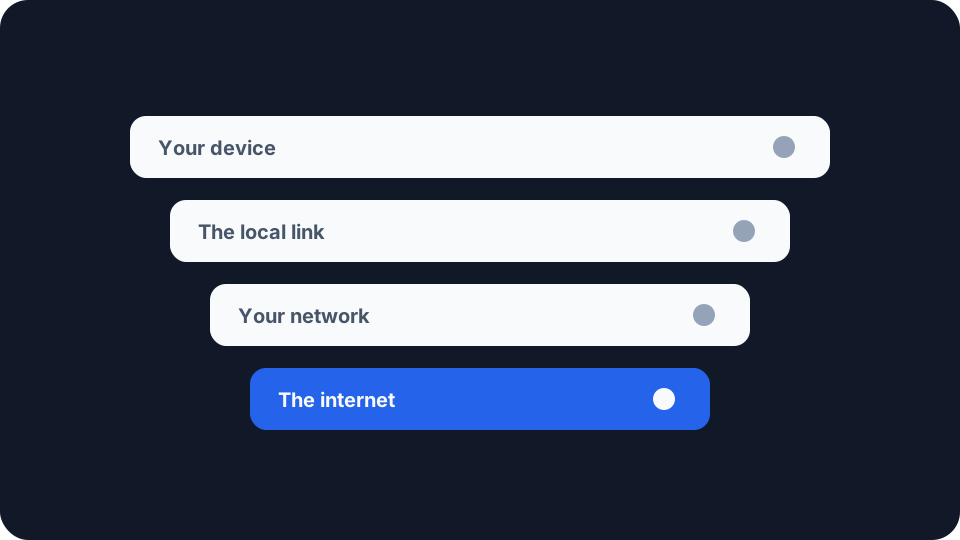
For IPv4 that table is IANA’s IPv4 Special-Purpose Address Space, and it records five true-or-false flags against its entries. Two of them do most of the work. Forwardable records “whether a router may forward” a packet addressed to the block “between external interfaces”. Globally Reachable records whether that packet “is forwardable beyond a specified administrative domain”, which is the registry’s precise way of describing a packet leaving for the wider internet. Sorted by those flags, the kinds of address line up from least reach to most, with one set sitting outside the sequence altogether.
Loopback, 127.0.0.0/8, is not meant to leave the device. The registry marks it invalid as the source or the destination of any packet travelling between two devices, with a footnote noting that several protocols have been granted exceptions. It is how a machine talks to itself.
Link-local, 169.254.0.0/16, stays on one link. It is valid between two devices on the same network segment, but the registry marks it not forwardable, so a router is not meant to pass it on. RFC 3927 describes how a device can give itself an address “that is valid for communication with other devices connected to the same physical (or logical) link”, and says these addresses are “only used where stable, routable addresses are not available”. A device on your home network showing an address that begins 169.254 is a sign it did not get one from your router.
Private and shared addresses travel within a network and no further. RFC 1918’s three blocks are forwardable and not globally reachable: routers inside a network may pass them on, and they are not meant to go beyond it. 100.64.0.0/10, which the registry calls Shared Address Space, carries exactly the same flags without being private. RFC 6598, which requested it in April 2012, says it “is distinct from RFC 1918 private address space because it is intended for use on Service Provider networks”. If your router’s own outside address falls inside it, you are behind a second translation in your provider’s network, which is what CGNAT explained is about. The benchmarking block, 198.18.0.0/15, has the same flags again.
Public addresses are meant to reach anywhere. An address allocated through the registries and announced to the internet can be reached across it, which is the one property none of the blocks above share.
Documentation addresses are not meant to travel at all. 192.0.2.0/24, 198.51.100.0/24 and 203.0.113.0/24 are marked false on all five flags, because they exist for examples in specifications and other documents. RFC 5737 says they “SHOULD NOT appear on the public Internet”, and that they “are not for local use” either.
Special-purpose does not mean unreachable: a handful of the registry’s entries, 192.175.48.0/24 among them, are marked globally reachable.
IPv6 keeps a list of its own
IPv6 has its own special-purpose registry, and its blocks mirror the IPv4 ones, with two differences worth knowing.
Unique local addresses, fc00::/7, are the counterpart to private ones, built the other way round. RFC 4193 defines an address format “that is globally unique and is intended for local communications”, and states plainly that “These addresses are not expected to be routable on the global Internet.” Where RFC 1918 lets every network reuse the same numbers, RFC 4193 has each network generate a pseudo-random identifier for its own prefix, so two networks that are later joined are very unlikely to collide. The registry gives the block the same flags as the IPv4 private blocks: forwardable, not globally reachable. Locally assigned prefixes begin fd, because the RFC sets the bit after the first seven to 1 for them.
Link-local, fe80::/10, is compulsory rather than a fallback. In IPv4 a link-local address is what a device uses when nothing better is available. RFC 4291 says instead that “All interfaces are required to have at least one Link-Local unicast address”, so an IPv6 device is meant to carry one on every interface alongside whatever else it has. The registry marks it not forwardable, like 169.254.0.0/16.
Loopback is ::1, and documentation has two blocks. RFC 3849 set aside 2001:db8::/32 in July 2004 and, like RFC 5737, says “No end party is to be assigned this address.” A second documentation block, 3fff::/20, entered the registry in 2024.
Reading an address by how far it may go
When an address turns up and you are not sure what it is, ask how far it is allowed to go. Loopback stays on the device, link-local stays on the link, private and shared addresses stay inside a network, public addresses may go anywhere, and the documentation blocks are meant to exist only on the page.
Every one of those limits is a rule that equipment is expected to enforce, rather than a wall. RFC 1918 says as much about its own blocks: routers outside private networks, “especially those of Internet service providers”, are “expected to be configured to reject (filter out) routing information about private networks”.
Working out which kind you are looking at
Start with the address a site sees. The My IP Address page shows it, and for a site on the internet it will be a public address. Compare it with the address in your device’s own network settings. If the device’s address sits in one of the three private blocks, the two will differ, and at least one translation sits between them.
Then put any address you are unsure of into the registry. Run 192.168.1.1 through the registry record lookup and the organisation that comes back is the Internet Assigned Numbers Authority, under a network name that spells the arrangement out, PRIVATE-ADDRESS-CBLK-RFC1918-IANA-RESERVED. An address from 100.64.0.0/10 returns SHARED-ADDRESS-SPACE-RFC6598-IANA-RESERVED, and 203.0.113.10 returns IANA-DOCUMENTATION-TEST-NET-3. A public address returns the organisation its block was allocated to instead, and how to read an IP WHOIS record covers what the rest of that record means.
Private is a statement about reach, not a hiding place. Your private address is how everything on your own network reaches your device, and the sites you visit see your public one. If you forward a port on your router, the rule points at one of your private addresses, so read how open ports work, and when they matter before you make one.