Why Your IP Is Blacklisted, and How to Get It Removed
Networking
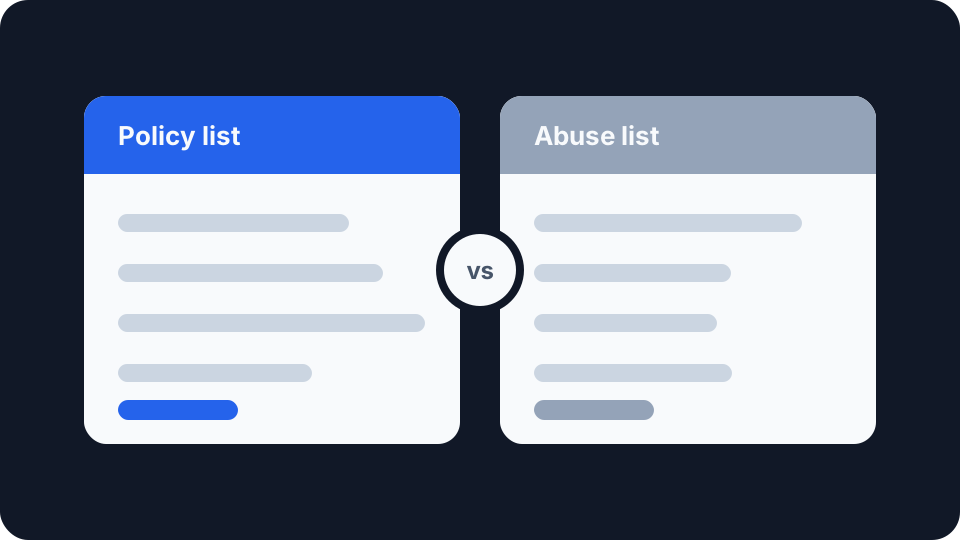
You ran a blacklist check on your own connection and something came back listed. It reads like an accusation.
In most cases it is not one. The single most common listing a home connection picks up is not a record of anything you did, and the organisation that publishes it says so in plain terms. Knowing which kind of list you are on is the whole job, because the two kinds have completely different fixes.
”Blacklisted” covers two very different things
The lists that mail servers consult are DNS-based blocklists, and they fall into two camps.
Abuse lists record observed bad behaviour: an address that sent spam, ran an open relay, got recruited into a botnet, or hosted something malicious. A listing here is evidence. Something happened, and it usually happened on your network.
Policy lists record where mail is not expected to come from. No behaviour is involved at all. The address is listed because of what kind of address it is, and it would be listed even if nothing had ever been sent from it.
Almost every article on this subject treats the two as one thing and tells you to request delisting. For half the cases that advice is wrong, and following it wastes an afternoon.
The list most people find themselves on
Spamhaus operates the Policy Blocklist, the PBL, and it is the one a residential connection is most likely to appear on. It catalogues address ranges that, in Spamhaus’s words, “should not send email directly to the Internet”, and it notes that “often these are IP ranges assigned by ISPs to broadband or dial-up customers”.
The important sentence is the one about fault. Spamhaus states it directly: “A PBL listing is NOT a result of any actions undertaken by the end users.”
Read that before doing anything else. If your home broadband address is on the PBL, nothing is wrong with it. Your provider has declared that its consumer ranges are not sources of direct-to-internet mail, which is true, because your mail goes out through your provider’s or your mail host’s servers rather than straight from your router. The listing is the system working correctly.
Nor is it usually yours to change. Only Spamhaus and authorised ISP accounts can edit PBL listings, so the range itself is between your provider and Spamhaus.
The lists where something actually is wrong
Spamhaus’s other zones behave differently, and so do the equivalents run by other operators. These are the abuse-based lists, and they respond to observed activity: an address seen sending spam, a machine exhibiting the signature of a compromise, a poorly secured server being used as a relay.
A listing on one of these is worth taking seriously, because it usually means a device on your network is doing something you did not authorise. On a home network the usual suspects are a compromised computer, an insecure IoT device, or a router with remote administration left open to the internet.
Delisting before fixing the cause is pointless. The address goes back on within days, and repeated removal requests on an unfixed network are a good way to get taken less seriously. Find the device first.
Finding it is less mysterious than it sounds. Check which devices are talking to the internet when nobody is using them, look at your router’s connected-device list for anything you cannot name, and make sure remote administration and UPnP are turned off unless you deliberately need them. If a listing arrived shortly after a new device joined the network, start there. Most home compromises are an unpatched device with a default password rather than anything sophisticated.
Checking properly
Check the address before assuming anything, and check which list.
A generic “your IP is blacklisted” verdict from a tool that queries dozens of lists at once is close to useless, because the aggregate result mixes major lists that mail providers actually consult with obscure ones almost nobody uses. What matters is which list, and what that list is for.
Start by confirming what your address actually is. Our IP address page shows the public address your connection presents along with the provider it is attributed to, and the IP checker will look up any address and tell you which organisation and network it belongs to. That second piece matters here: if the address belongs to a consumer broadband range, a policy listing is expected, and if it belongs to a hosting provider, it is not.
Worth knowing that this is a close cousin of a different problem. Being flagged as a proxy or VPN by a fraud-detection service uses separate databases with separate rules, and a clean mail reputation says nothing about that. Why your connection gets flagged as a VPN or proxy covers that side.
Getting removed, and when you can
If you have established that you are on an abuse list and you have fixed the underlying cause, most operators run a self-service removal form. The process is usually quick and free. Be wary of any service charging a fee to delist you, because the lists that matter do not charge.
The PBL has a self-removal route too, but it is deliberately narrow, and the restrictions catch people out:
It is meant for mail servers only. Spamhaus’s own guidance is that “only single IP addresses that are assigned to mail servers should be removed.” It is a mechanism for someone genuinely running a mail server on a consumer connection, not for clearing a scary-looking result.
The request cannot come from a free email account. Spamhaus states plainly that the removal system “does not process removal requests that come from free email accounts such as Gmail.com, Hotmail.com, Yahoo.com.” A request from a personal Gmail address will not be processed.
It expires. End-user exclusions from the PBL last a year and “will be immediately reversed if spam is detected from them.” It is a renewable exception, not a permanent change.
When any of this actually matters
For most people it does not, and that is worth saying rather than manufacturing a problem.
If you send email through a normal provider, your messages leave from that provider’s servers, and their reputation is what recipients evaluate. Your home address never enters the transaction. A PBL listing on your broadband connection has no effect on your email, your browsing, your gaming or anything else you do.
It matters in three situations. If you run your own mail server, on any connection, reputation is your problem and a policy listing on a consumer range will stop your mail being accepted. If you run a business connection or a hosted server that has picked up an abuse listing, that is a real fault worth chasing. And if a listing appears on a static business address you rely on, it is worth understanding whether your address is static or dynamic in the first place, because static and dynamic addresses behave very differently: a dynamic address may carry a reputation earned entirely by whoever held the lease before you.
That last case is the quiet one. Addresses get recycled, and reputation attaches to the address rather than the customer. If you have inherited a listing on a dynamic address and cannot get it cleared, releasing the lease and picking up a new address is often faster than arguing.