Why Your Speed Test Disagrees With Your ISP
Technical
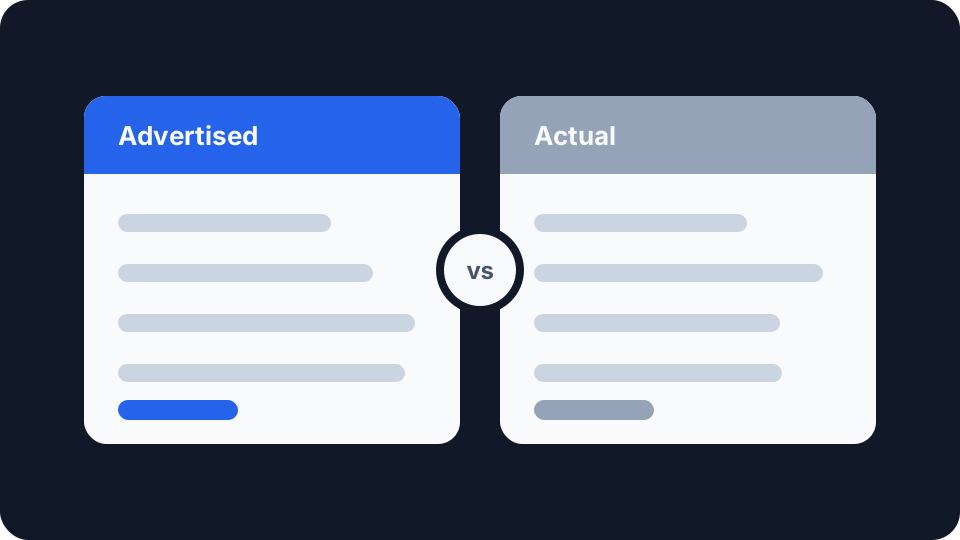
You pay for 500Mb. Your speed test says 180. Somebody is wrong, and the assumption is usually that it is the provider.
Sometimes it is. More often the two numbers were never measuring the same thing, and the gap between them is entirely expected once you know how the advertised figure is arrived at.
The advertised number is a median, not a promise
In the UK, broadband speed claims in advertising have been governed since 2018 by a standard from the Advertising Standards Authority and the Committee of Advertising Practice. To advertise a speed, a provider has to show that it is achievable for at least 50% of the relevant customer base at peak time, which Ofcom defines as between 8pm and 10pm. Speeds meeting that bar are labelled “average”.
Read that again, because it is doing a lot of work. Fifty percent. The advertised figure is a median measured at the busiest hours of the day, which means that by design, roughly half of that provider’s customers get less than the advertised speed. Not through failure, through arithmetic. A median has half the population below it. That is what a median is.
This was a deliberate tightening of the rules. Before 2018, providers could advertise a speed reachable by just 10% of customers, which is how “up to 200Mb” packages ended up on the side of buses. The current standard is far more honest, but it is still a description of a distribution, not a commitment to you specifically.
Your contract is a different document from the advertisement. Many providers sign up to Ofcom’s voluntary code of practice on broadband speeds, which sets a minimum guaranteed speed and a right to leave without penalty if it is not met. That number, not the advertised one, is the figure worth knowing, and it will be in your contract rather than in the marketing.
What a speed test actually measures
A speed test measures how fast one device can move data to and from one server over one path at one moment.
It does not measure your line. It measures the slowest link in a chain that includes your device, its network adapter, your Wi-Fi, your router, your line, your provider’s network, the route to the test server, and the test server itself. The result is the weakest of those, and only one of them belongs to your provider.
Where the missing speed goes
Wi-Fi, most of the time. This is the single most common answer and the one people most resist. A device on 2.4GHz Wi-Fi, a few rooms from the router, competing with a dozen neighbouring networks on the same channels, will not reach the speed of the line behind it and never could. Wi-Fi is a shared radio medium with real physical limits, and its advertised speeds are laboratory maximums in the same spirit as broadband advertising.
The device itself. A gigabit line plugged into a laptop with a 100Mbps Ethernet port tests at about 94Mbps, every time, no matter what you pay. Older phones and tablets have Wi-Fi radios that cap out well below modern line speeds. An overloaded machine with a busy processor can fail to keep up with its own network card.
Protocol overhead. The data you actually get is always less than the raw line rate, because some of the capacity carries the addressing and error checking that make the internet work rather than your file. It is a few percent, consistently, and it is not recoverable.
Upload was never going to match download. Most domestic connections are deliberately asymmetric, because most households pull far more data than they push. On many cable and copper-based lines the upload figure is a small fraction of the download one, and that is the product working as sold rather than a fault. Full fibre is often symmetric or close to it, so a test result that looks alarming on one technology is unremarkable on another. Check what your package actually promises for upload before treating a low number as a problem.
The server and the route. A test to a nearby, well-connected server flatters your connection. A test to a distant or busy one does the opposite. Neither is lying. If a test picks a poor server, you are measuring the internet between you and that server rather than your own connection.
Contention. Fixed lines are shared somewhere upstream. So is the whole internet. At 9pm on a Sunday, you are competing with everyone else, which is exactly why the advertising rules specify peak time: it is the honest window to measure in.
Everything else in the house. A speed test is a snapshot of available capacity, and anything else using the connection at that moment is taking a share. A console updating quietly in another room will halve your result and tell you nothing.
Testing so the result means something
Use a cable. Plug into the router with Ethernet. This removes the single largest variable in one step. If the wired result is close to what you pay for and the Wi-Fi result is not, the problem is in your home and no amount of arguing with your provider will fix it.
Quiet the connection. Pause downloads, stop streams, and put other devices away. Otherwise you are measuring what is left over.
Test more than once, at different times. One result is an anecdote. Several results across a few days, including in the 8pm to 10pm window, are evidence, and evidence is what a complaint needs.
Check latency as well as throughput. Speed is not the only thing that makes a connection feel bad, and it is often not the thing making yours feel bad. If pages load slowly and calls break up while your download figure looks fine, the problem is latency rather than bandwidth. Our Ping Test covers that, and what counts as a good ping explains what the numbers mean, including the case where a fast connection behaves badly because latency collapses whenever the line is busy.
When it genuinely is the line
If wired results are consistently far below your contract’s guaranteed minimum, taken at several times of day on a quiet connection, that is a real fault and worth reporting. Take the results with you, including dates and times. A provider’s support process moves considerably faster when handed a pattern rather than a complaint.
Two other things worth ruling out before you call. Old or damaged cabling between the socket and the router causes exactly this symptom and is cheap to replace. And if the connection has always been this speed rather than having got worse, check what is actually available at your address rather than assuming the package you bought was ever deliverable there.
Testing yours
Our Speed Test measures ping, jitter, download and upload directly in the browser. It sizes the transfer to your connection rather than sending everyone the same fixed payload, so a fast line gets a meaningful reading without downloading more than it needs and a slow one is not left waiting on a file it was never going to finish.
Run it once on Wi-Fi and once on a cable, at a quiet moment and again during the evening. Four numbers taken that way will tell you more about your connection than any single result ever could, and they will tell you which of the causes above is actually yours.
One last thing that catches people out: turn your VPN off before testing. A VPN routes your traffic through an extra server and encrypts it on the way, and both cost throughput. Testing through a tunnel measures the tunnel, not your line. If you want to know what the VPN itself is costing you, test twice and compare, and confirm the tunnel is actually up first with a VPN check so you know which of the two results is which. If that gap turns out to be much larger than a few percent, there are only a handful of things that cause it and most of them are fixable from your side.