Reverse DNS Explained: What a PTR Record Actually Reveals
IP Lookup
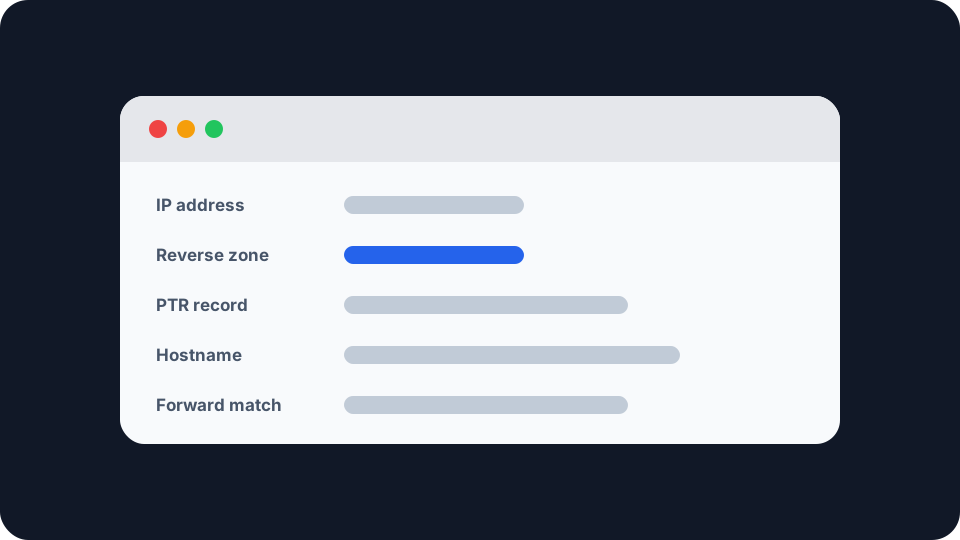
A forward DNS lookup turns a name into an address. Reverse DNS tries to go the other way, and the answer it gives back was written by whoever owns the address block, not by whoever owns the website. That single detail explains almost everything that seems odd about it.
What reverse DNS actually is
Reverse DNS is an ordinary DNS lookup aimed at a special corner of the namespace. Instead of asking for the address behind a name, you ask for the name behind an address, and the record type that answers is PTR, short for pointer.
The interesting part is how the question has to be phrased. DNS reads names right to left, most general part last, so an address has to be turned inside out before it can be asked about at all. The address 8.8.8.8 becomes the name 8.8.8.8.in-addr.arpa, octets reversed, and the resolver looks for a PTR record sitting there. RFC 1035, the original DNS specification, defines that in-addr.arpa domain, so this has been part of DNS from the start rather than bolted on afterwards.
IPv6 does the same at finer resolution. Each address is split into single hex digits, reversed one by one, and placed under ip6.arpa, which RFC 3596 defines. The names are long, and that length is why an IPv6 reverse zone is a completely different administrative problem from an IPv4 one.
Checked live while writing this, 8.8.8.8 returns dns.google, 1.1.1.1 returns one.one.one.one and 9.9.9.9 returns dns9.quad9.net. All three are public resolvers whose operators wanted the reverse lookup to say something deliberate. Most addresses on the internet are not like that at all.
The record lives with the network, not with you
This is where most people trip.
You cannot set your own PTR record by editing your domain’s DNS. If you run example.com, your registrar’s control panel has authority over names underneath example.com. The reverse zone covering the address your server happens to sit on is a separate zone under in-addr.arpa, and authority over it follows the address allocation rather than the name. It belongs to whoever holds the block, which means your hosting provider, your ISP, or a regional registry further up the chain.
In practice, changing it is a request rather than an edit. Most hosting providers and business ISPs will set a PTR record on a dedicated address if you ask them. Most consumer broadband providers will not, because they have not sold you that address, they have lent it to you for as long as your router stays connected.
Blocks smaller than 256 addresses needed a workaround. A DNS zone can only be delegated once, which for years meant an organisation holding a handful of addresses could never run its own reverse DNS, because the zone containing them belonged to somebody else. RFC 2317 solved that in 1998 using a CNAME indirection: the provider keeps the parent zone and points individual entries at a child zone the customer controls. It is why a reverse delegation for a small block occasionally looks wrong, with something like 0/25 sitting in the middle of a DNS name. That is correct, and it is nearly thirty years old.
Reading a hostname, and what it is telling you
Once you have a hostname in front of you, the useful skill is recognising which of four things you are looking at.
A generated ISP name. Something in the shape of host-81-134-22-9.range81-134.provider.net. Large residential providers pre-populate their reverse zones automatically, one record per address, with the name generated from the address itself. RFC 8501 describes precisely this practice, noting that ISPs “populate an IN-ADDR.ARPA zone with one PTR record for every IPv4 address” and that the approach does not scale to IPv6. A name like that tells you the provider and often a rough network region. It tells you nothing whatsoever about the person using it.
A hosting or datacentre name. A provider’s brand plus a machine identifier. This one carries real signal, because hostname patterns are among the public clues separating a hosting range from a residential connection, and plenty of services treat those two categories very differently. To see how your own connection reads on that axis, how your connection looks to fraud detection is the practical version.
Nothing at all. Enormous numbers of addresses have never had a PTR record published, and a lookup against one comes back empty. That is normal rather than broken, and it only becomes a problem in the specific cases below.
A name that has quietly gone stale. Reverse zones get edited by hand far less often than forward zones. A hostname carrying a city abbreviation or an old brand can outlive both by years, which is worth remembering before treating one as current fact.
Where it genuinely matters, which is mostly email
Mail is the one place a missing or mismatched PTR record has an immediate and measurable cost.
Google’s sender guidelines have applied to everyone sending to a personal Gmail account since 1 February 2024, and they require that senders “ensure that sending domains or IPs have valid forward and reverse DNS records, also referred to as PTR records”. That sits alongside SPF or DKIM authentication and TLS transport as a baseline requirement, not as a recommendation. Send from an address with no PTR record and you are failing a published check before anything in your message is even read.
Notice the wording, though: forward and reverse. The check a receiving mail server runs is stricter than asking whether a PTR record exists. It resolves the address to a name, resolves that name back to an address, and confirms the two agree. The practice has a name, forward-confirmed reverse DNS, and RFC 8501 describes servers that “check the source address of incoming connections and verify that the PTR and A records match before providing service”.
That second step is the whole logic of the system. A PTR record is only a claim, made by whoever controls the address block. Nothing stops the holder of a block pointing it at a name they have no connection to. The forward lookup makes the claim checkable, because the forward record can only be published by whoever controls the name. One record alone proves nothing. The pair, agreeing, proves the two parties are the same.
If mail from an address is being refused, reverse DNS is one candidate among several rather than the automatic answer, and why an IP gets blacklisted covers the listing side of the same problem.
What reverse DNS cannot tell you
It is not identity. For a consumer connection, the hostname describes the provider’s network and is generated from the address. Every neighbour on the same exchange produces a name of the same shape. There has never been a field in this system that named a subscriber.
It is not a location service. City and airport codes turn up constantly in ISP hostnames, and they are internal naming conventions describing a network region rather than a place. They can be approximate, they can be stale, and they can simply be inherited from equipment that has since moved. If a location looks wrong, why your IP location is wrong explains where the gap actually opens up.
It is not WHOIS, and mixing the two causes real confusion. WHOIS and RDAP describe registry allocation: which organisation a block was assigned to, on paper. Reverse DNS describes a name the network operator chose to publish for one specific address, in DNS. They come from different systems, they are maintained by different people, and they disagree more often than you would expect. Reading an IP WHOIS record covers the registry half properly.
A “hostname” field in a lookup tool is not always a live PTR query. Some services perform the reverse lookup at the moment you ask. Others return a hostname held in their own network database, derived from registration or routing data. Both are reasonable, they are not the same thing, and it is the usual explanation when two lookup tools hand you different names for one address.
What you can actually do about it
If you are on a home connection, nothing, and nothing is wrong. A generic hostname or no hostname at all is the expected state. It is not a privacy leak worth acting on, and it is not something your provider will change.
If you run a mail server, treat it as a checklist item. Confirm a PTR record exists for the sending address, confirm it resolves forward to that same address, and confirm the name matches the domain you actually send as. Ask your hosting provider or business ISP to set it, since you cannot. This is the cheapest deliverability fix available and it is routinely skipped.
If you are investigating an address, read the hostname as a lead rather than as evidence. It tells you which network you are dealing with and roughly what kind of network it is. Anything beyond that needs corroborating from a system designed to carry it.
Checking one for yourself
Our reverse DNS lookup runs the PTR query described above and shows the reversed name it had to ask for alongside whatever came back. Try a well-known resolver first, where the name is deliberate and readable, then something more ordinary, where you will often get nothing.
To see what your own connection presents, your IP address page shows the address your provider has currently assigned you and the network it is attributed to. If the hostname there reads as machine-generated noise, that is the system working exactly as designed.