Your Default Gateway Is the First Hop, Not the Destination
How-To
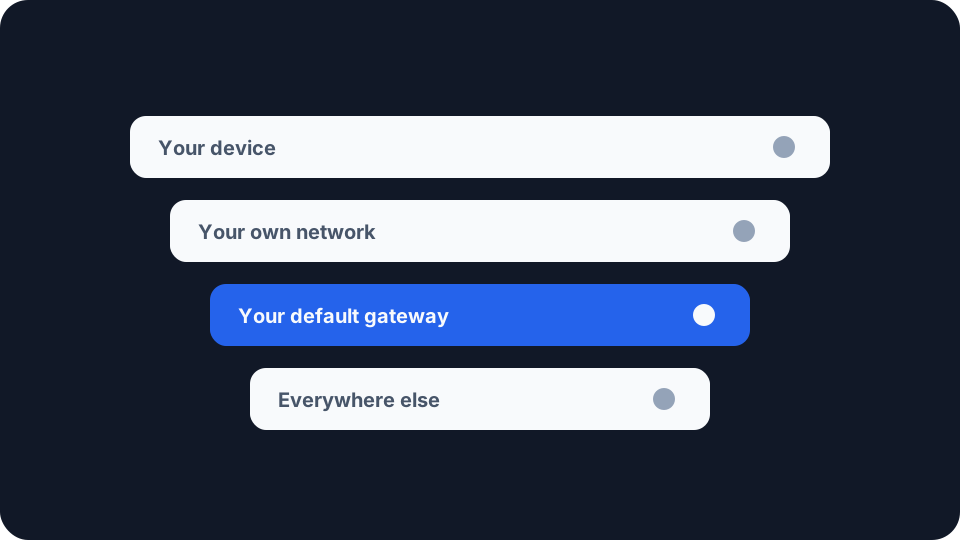
Open your network settings and there is a line labelled Default gateway, or Router, carrying an address that looks much like your own with the last number changed. Nothing explains what it is for.
It is the answer to a question your device asks about every single packet it sends, and the answer is narrower than the label suggests.
Every packet starts with a local-or-not decision
Before your device can send anything it has to work out whether the destination is somewhere it can reach directly.
The test is arithmetic rather than lookup. Your device holds its own address and a mask that marks which leading bits of an address identify the network. It applies that mask to the destination and to itself, and compares the two results. Matching bits mean the destination sits on the same network, and the device sends to it directly. Different bits mean the destination is somewhere else, and RFC 1122, which set out in 1989 what an internet host is required to do, states what follows: the destination is then accessible only through a gateway.
This happens for every packet, and that comparison is the whole of the first decision. Your device is not consulting a map of the internet. It is answering one narrow question, mine or not mine, and everything that fails the test gets handed to the same place.
The gateway is the first hop, and the packet keeps its real address
Here is the part that the word gateway obscures. When your device sends a packet to a server in another country, it does not address that packet to your router. The destination address inside the packet stays exactly what it was. What changes is the layer underneath: the frame carrying that packet is addressed to the router, because the router is the next machine on the wire.
RFC 1122 describes the host’s job in those terms. Its first stated function for the IP layer is to choose the “next hop” gateway or host for an outgoing datagram, and for outgoing traffic the layer “selects the correct first hop on the connected network”. First hop, not final destination. Your router receives a packet plainly addressed to somewhere else, consults its own routing table, and repeats the exercise with whatever comes next.
You can watch this happen. Run a traceroute and the first line is your own equipment answering, which is your default gateway announcing itself before anything leaves the building. Reading the path your data takes covers the rest of those lines, including the test that tells you whether a bad number partway down belongs to a router that is forwarding perfectly well.
The exception is worth naming, because it is the one time you do address the gateway itself. Typing that same address into a browser opens the router’s own administration page. That is not routing, it is a conversation with the box, and because the box is on your own network the local-or-not test sends it straight there. Once you are on that page, the settings worth changing are fewer than the interface suggests, and the one that matters most is not on the page at all.
Default means it answers when nothing more specific does
The word default is doing real work. A gateway is not the only entry a device can hold.
RFC 1122 puts it as a requirement rather than a convenience. Where there is no cached route for a destination and the destination is not on the connected network, the host must pick a gateway from its list of default gateways, and the sentence that follows tells you the shape of the thing: “The IP layer MUST support multiple default gateways.” A list, not a single value, and it is what gets used when nothing better applies.
Something better can apply. A device may hold more specific routes that win over the default for the addresses they cover, which is how a VPN client captures your traffic without touching the gateway line in your settings at all. So the gateway is a fallback rather than the only way out, and a settings screen showing one line does not tell you whether anything more specific is also in play.
RFC 1122 is equally clear that a device needs one to get anywhere: “A host generally needs to know at least one default gateway to get started.”
The address arrives with the lease
You did not type it in, and on a home network it came from the same negotiation that gave your device its address.
DHCP carries configuration alongside the address itself, each piece in a numbered option. RFC 2132 defines them, and the one that matters here sits three entries in. “The router option specifies a list of IP addresses for routers on the client’s subnet. Routers SHOULD be listed in order of preference. The code for the router option is 3.” That is the line in your settings, delivered by your router in the same message as the address, the mask and the name servers. The address is a lease follows that exchange from the first broadcast to the acknowledgement.
Note what the option carries. It is a list rather than a single address, with an instruction to rank it, and that has been in the specification since March 1997.
IPv6 does not use DHCP for this
IPv6 hosts get their default routers from the routers themselves rather than from a lease.
Neighbor Discovery, now specified in RFC 4861, has routers on a link advertise their own presence, and has each host keep two structures from what it hears. RFC 4191 describes how they are used: “A conceptual sending algorithm uses the Prefix List to determine if a destination address is on-link and uses the Default Router List to select a router for off-link destinations.” That is the same local-or-not decision as before, with the on-link half learned from advertisements rather than derived from a mask, and entries that expire unless a further advertisement refreshes them.
What happens when that list is empty was tightened deliberately. RFC 4943 records the removal of an earlier rule under which an empty list meant a host assumed every destination was local. Its summary of the change is the useful sentence: “The result of these changes is that destinations are considered unreachable when there is no routing information for that destination (through a default router or otherwise).” Nothing to hand a packet to now means the packet does not go.
The same word names two different machines
This trips people up on mobile networks, and the confusion sits in the vocabulary rather than in the technology.
RFC 1122 writes gateway throughout where a modern document would write router, because that was the word in 1989. Your default gateway is the router on your own network, sitting a metre or two away from you. In a mobile operator’s network the word names something else entirely: a point deep inside the operator’s infrastructure where your connection’s address is held. That machine is nowhere near you, and no settings screen on your phone points at it. What actually moves a phone’s visible address deals with that one, and it is not the number you are looking at here.
Finding yours, and reading what it tells you
Each platform shows it somewhere, under a name of its own. On Windows, ipconfig lists it as Default Gateway. On macOS and Linux, netstat -rn or ip route shows it as the destination default or 0.0.0.0. On a phone it sits in the saved WiFi network’s details rather than in the main settings list.
An address starting 169.254 means your device did not get one. That range is what a device gives itself when nothing answered, and the ranges that are neither one nor the other sets out where it sits among the rest. The symptom is traffic to other devices in the house working while nothing beyond the network does, which is what you would expect from a device that never learned where to send anything.
Our tools sit on the far side of it, which is the useful thing about them. The My IP Address page shows the public address a site sees, and its own copy is careful to mark that as a different thing from the private one your router hands out indoors. Your gateway sits on the indoor side of that split and your visible address on the outdoor side, so holding the page next to your settings screen puts the two numbers side by side with the translation sitting between them. The ping test spans both, sending “20 round trips to our edge network”, which means your gateway is the first hop inside every figure it reports. That is what you want when you are measuring the whole path, and a limitation when you want to know which half is at fault, and its own advice starts where the trouble tends to be, with using an ethernet cable rather than WiFi.
The line in your settings is a smaller thing than it looks. It is not the internet, and it is not where your traffic is going. It is the one address your device falls back on once it has worked out that a destination is not its own, and the reason nothing beyond your own network moves when it is missing.